Schema Markup for AI 5 Proven Steps to Boost Your Rankings
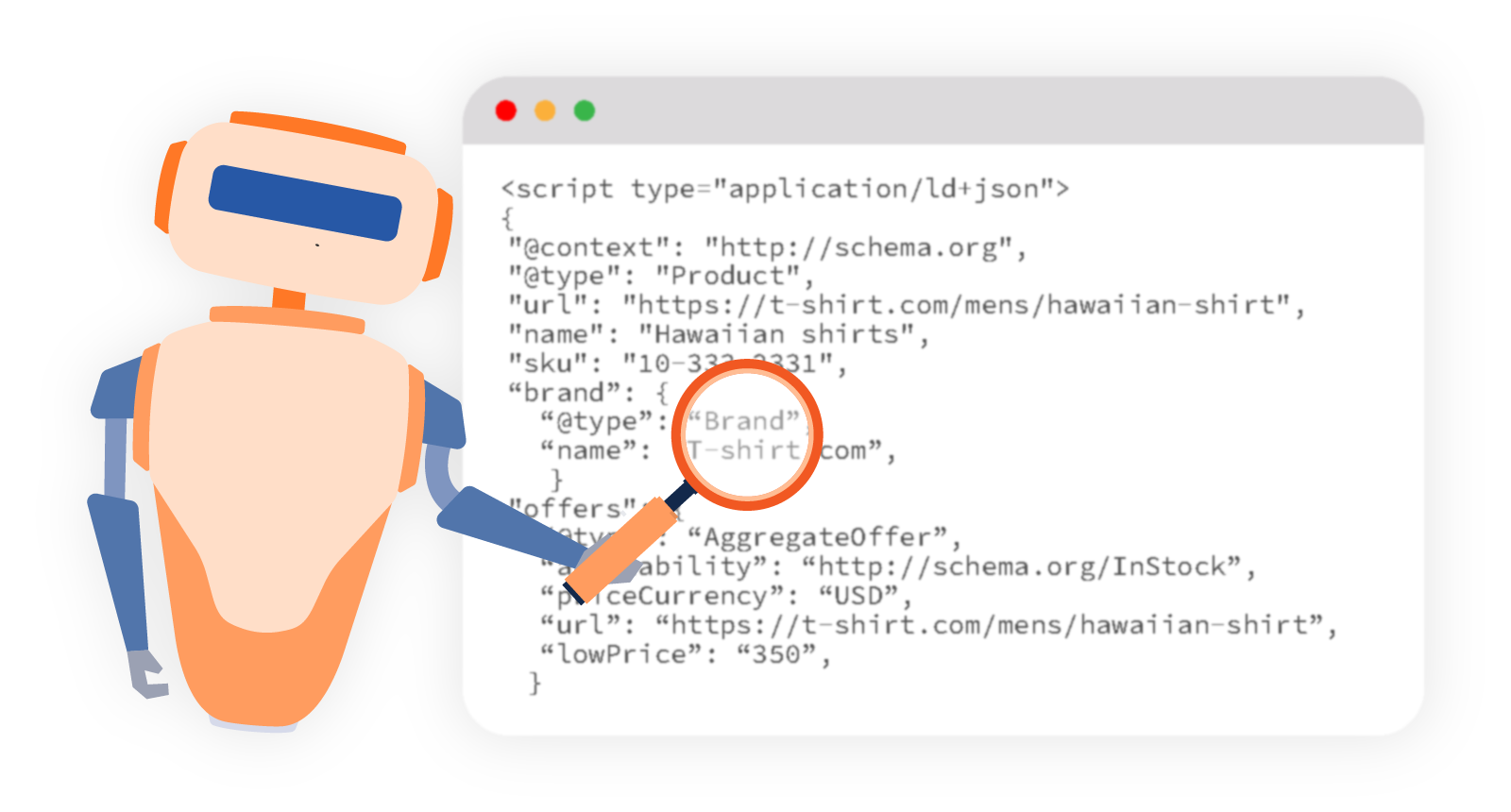
AI systems don’t read your website the way humans do. They parse signals, extract entities, and piece together meaning from structured information. If your pages lack structured data, you’re asking AI to guess what your content means and it often gets it wrong.
Schema markup for AI search gives these systems clear, unambiguous information about your content. It tells AI exactly what your page covers, who you are, what questions you answer, and how to use that information in generated responses. This guide covers the schema types that matter most, real JSON-LD implementation examples, and how to test everything actually works.
Why Schema Markup for AI Search Works Differently
Traditional schema implementation focused on winning rich snippets in Google Search, star ratings, FAQs, event dates appearing directly in the SERP. That still matters. But AI search adds a new layer.
When ChatGPT, Perplexity, or Google AI Overviews generates an answer, it draws on structured signals to identify authoritative sources. Structured data AI systems can parse helps your content get retrieved, understood, and cited accurately. Think of it as speaking the AI’s native language instead of hoping it translates your prose correctly.
The RAG connection: Many AI search systems use Retrieval-Augmented Generation (RAG), pulling live content to supplement their responses. Pages with clean structured data are easier to retrieve and parse. That directly affects LLM visibility and AI citation rates.
A 2024 study by Search Engine Land found that pages with complete schema implementation were cited in AI Overviews at nearly twice the rate of equivalent pages without it. The signal is clear: structured data AI systems can process gives you a measurable advantage.
The Essential Schema Types for AI Search
Not all schema types carry equal weight for AI visibility. These are the ones that move the needle.
FAQ Schema
FAQ schema is one of the highest-impact implementations for AI search. When you mark up question-and-answer pairs with FAQPage schema, AI systems can extract those Q&A pairs directly and use them in generated responses.
Here’s a clean JSON-LD implementation:
{
  "@context": "https://schema.org",
  "@type": "FAQPage",
  "mainEntity": [
    {
      "@type": "Question",
      "name": "What is schema markup for AI search?",
      "acceptedAnswer": {
        "@type": "Answer",
        "text": "Schema markup for AI search is structured data added to web pages that helps AI systems understand, categorise, and cite your content accurately in generated responses."
      }
    },
    {
      "@type": "Question",
      "name": "Which schema types help with AI visibility?",
      "acceptedAnswer": {
        "@type": "Answer",
        "text": "FAQ, HowTo, Article, Organization, and Speakable schema types all contribute to AI search visibility by giving language models clear signals about your content."
      }
    }
  ]
}
Keep answers direct and self-contained. AI systems often lift answer text verbatim, so write them as standalone responses rather than context-dependent replies.
HowTo Schema
HowTo schema structures step-by-step content in a format AI can reliably parse and present. It’s particularly effective for instructional content because it maps directly to how AI answers “how do I” questions.
{
  "@context": "https://schema.org",
  "@type": "HowTo",
  "name": "How to Implement Schema Markup for AI Search",
  "step": [
    {
      "@type": "HowToStep",
      "name": "Choose your schema type",
      "text": "Identify which schema type fits your content: FAQ for Q&A content, HowTo for instructions, Article for editorial content."
    },
    {
      "@type": "HowToStep",
      "name": "Write your JSON-LD",
      "text": "Create your structured data block using JSON-LD format and place it in the head section of your page HTML."
    },
    {
      "@type": "HowToStep",
      "name": "Validate your markup",
      "text": "Run your page through Google's Rich Results Test and Schema.org validator to check for errors before publishing."
    }
  ]
}
Each step should be self-explanatory without surrounding context. AI systems may pull individual steps out of sequence.
Article Schema
Article schema establishes authorship, publication dates, and content type signals that directly support E-E-A-T evaluation by both Google and AI systems.
{
  "@context": "https://schema.org",
  "@type": "Article",
  "headline": "Schema Markup for AI Search: Complete Implementation Guide",
  "author": {
    "@type": "Person",
    "name": "Your Author Name",
    "url": "https://7thclub.com/about"
  },
  "publisher": {
    "@type": "Organization",
    "name": "7thClub",
    "url": "https://7thclub.com",
    "logo": {
      "@type": "ImageObject",
      "url": "https://7thclub.com/logo.png"
    }
  },
  "datePublished": "2025-01-15",
  "dateModified": "2025-06-01"
}
Always include dateModified and keep it current. AI systems factor content freshness into citation decisions.
Organization Schema
Organization schema is foundational for brand visibility in AI search. It tells AI systems who you are, what you do, and how to identify you across the web. Implement this site-wide, typically in your header or footer.
{
  "@context": "https://schema.org",
  "@type": "Organization",
  "name": "7thClub",
  "url": "https://7thclub.com",
  "description": "White label SEO and digital marketing agency providing reseller services to agencies worldwide.",
  "sameAs": [
    "https://www.linkedin.com/company/7thclub",
    "https://twitter.com/7thclub"
  ],
  "contactPoint": {
    "@type": "ContactPoint",
    "contactType": "customer support",
    "email": "hello@7thclub.com"
  }
}
The sameAs property is particularly valuable. It connects your entity across platforms, helping AI systems build a coherent understanding of your brand rather than treating each mention as unrelated.
LocalBusiness Schema
If you’re implementing schema for local clients, LocalBusiness schema remains critical for AI-powered local search responses. Google AI Overviews increasingly pulls structured local data when answering location-based queries.
{
  "@context": "https://schema.org",
  "@type": "LocalBusiness",
  "name": "Client Business Name",
  "address": {
    "@type": "PostalAddress",
    "streetAddress": "123 Main Street",
    "addressLocality": "London",
    "postalCode": "EC1A 1BB",
    "addressCountry": "GB"
  },
  "telephone": "+44-20-1234-5678",
  "openingHoursSpecification": [
    {
      "@type": "OpeningHoursSpecification",
      "dayOfWeek": ["Monday", "Tuesday", "Wednesday", "Thursday", "Friday"],
      "opens": "09:00",
      "closes": "17:30"
    }
  ]
}
Speakable Schema for Voice Search and AI Assistants
Speakable schema is an underused implementation that specifically targets voice search and AI assistant responses. It tells AI systems which sections of your page are best suited for audio delivery.
{
  "@context": "https://schema.org",
  "@type": "WebPage",
  "speakable": {
    "@type": "SpeakableSpecification",
    "cssSelector": [".article-intro", ".key-takeaways"]
  },
  "url": "https://7thclub.com/blog/schema-markup-ai-search"
}
Use cssSelector to point to concise, standalone sections. Avoid marking up content that relies on visual context like bullet points, tables, and image captions don’t translate well to audio output.
JSON-LD SEO: Implementation Best Practices
JSON-LD is Google’s preferred format for structured data, and it’s also the easiest to maintain. Here’s how to implement it correctly.
Placement: Add your JSON-LD blocks inside the <head> section of your HTML. Some implementations work in the <body>, but head placement is cleaner and more reliable.
One script block per type: You can stack multiple schema types on a single page. Use separate <script> blocks for each type rather than trying to nest them.
Match schema to visible content: Google’s structured data guidelines are clear: your schema must describe content that actually appears on the page. Marking up FAQ pairs that don’t appear in the visible HTML violates Google’s guidelines and can result in manual actions.
Keep it updated: Stale schema is worse than no schema in some cases. If your business hours, contact details, or article dates change, update the schema immediately.
Schema Optimisation: Testing and Validation
Never deploy schema without testing it. These are the tools you need.
| Tool | Purpose | URL |
|---|---|---|
| Google Rich Results Test | Checks eligibility for rich results | search.google.com/test/rich-results |
| Schema.org Validator | Validates against schema.org spec | validator.schema.org |
| Google Search Console | Monitors live schema performance | search.google.com/search-console |
| Screaming Frog | Crawls site-wide schema at scale | screamingfrog.co.uk |
Testing workflow:
- Write your JSON-LD and add it to the page
- Run the URL through Google’s Rich Results Test look for zero errors, warnings acceptable
- Check Schema.org Validator for spec compliance
- After publishing, monitor Google Search Console’s “Enhancements” section for any crawl-level issues
- Use Screaming Frog quarterly to audit schema across your full site
Schema Mistakes That Kill AI Visibility
Marking up content that isn’t on the page. This is the fastest way to trigger a Google manual action. If the FAQ pairs in your schema aren’t visible on the page, remove them or add them to the visible content.
Using Microdata instead of JSON-LD. Microdata is embedded in HTML attributes and harder to maintain. JSON-LD is cleaner, easier to update, and preferred by Google. Migrate if you’re still on Microdata.
Ignoring the sameAs property. This is one of the most commonly skipped fields and one of the most valuable for AI entity recognition. Connect your Organisation schema to every relevant profile: LinkedIn, Crunchbase, Wikipedia if applicable.
Outdated dates on Article schema. AI systems use publication and modification dates to assess freshness. If your dateModified is two years old, you’re signalling stale content even if you updated the text.
Implementing schema on low-quality pages. Schema amplifies signals good and bad. A thin page with FAQ schema is still a thin page. Fix the content quality first, then layer in structured data.
FAQs: Schema Markup for AI Search
What is schema markup for AI search?
Schema markup for AI search is structured data added to your web pages using JSON-LD format that helps AI systems understand your content’s meaning, structure, and authority. Unlike traditional schema aimed at SERP rich results, AI-focused schema optimisation targets how LLMs retrieve and cite your content in generated answers.
Does schema markup directly improve AI search rankings?
Schema markup doesn’t directly influence rankings the way backlinks or content quality do. It improves how accurately AI systems interpret and retrieve your content. Better retrieval leads to more citations, which over time can influence branded search volume and direct traffic from AI-referred users.
Which schema type is most important for AI visibility?
FAQ schema has the most direct impact on AI visibility because it structures content in question-and-answer format that AI systems can extract and use directly. Organization schema is equally important for brand entity recognition. For instructional content, HowTo schema is highly effective.
How do I test if my schema is working?
Use Google’s Rich Results Test for immediate validation and Google Search Console for ongoing monitoring. For agency-scale auditing across multiple client sites, Screaming Frog’s custom extraction feature can crawl and report on schema implementation site-wide.
Can I use multiple schema types on one page?
Yes. Multiple schema types on a single page are not only allowed but often recommended. An article page might combine Article, FAQ, BreadcrumbList, and Organization schema. Use separate <script type="application/ld+json"> blocks for each type.
What is Speakable schema and should I use it?
Speakable schema marks specific page sections as suitable for audio delivery by voice assistants and AI. It’s worth implementing on pages where you answer direct questions particularly service pages and blog posts. Point it at your introduction and key takeaway sections.
How does structured data help with AI Overviews?
Google AI Overviews uses structured data signals alongside content quality and E-E-A-T signals to identify reliable sources. FAQ and HowTo schema in particular align with the question-answering format AI Overviews uses most frequently. Clean, validated schema gives your content a clearer path into these features.
Do I need a developer to implement JSON-LD schema?
Not necessarily. JSON-LD can be added through CMS plugins (Yoast SEO, Rank Math, Schema Pro for WordPress), Google Tag Manager, or directly in page HTML. For complex implementations or site-wide deployment at scale, developer involvement ensures accuracy and consistency.
Wrap Up
- Schema markup for AI search gives LLMs clear, parseable signals about your content improving retrieval, citation rates, and brand entity recognition
- FAQ and HowTo schema are the highest-impact types for AI-generated answer visibility; implement these first
- Organization schema with
sameAsproperties builds entity coherence across platforms, helping AI systems recognise and trust your brand - JSON-LD is the correct format clean, maintainable, and Google’s preferred implementation method
- Always validate using Google’s Rich Results Test and Schema.org Validator before publishing
If you’re managing structured data implementation for multiple clients and need a scalable white label process, 7thclub.com’s technical SEO services include schema auditing and implementation as part of our agency fulfilment. Contact us to find out how we handle it.