Technical SEO Audit Checklist 2026 Proven Steps to Rank
If your site isn’t ranking despite solid content and backlinks, technical issues are usually the culprit. A technical SEO audit checklist gives you a structured way to find and fix the problems that stop search engines from properly crawling, rendering, and ranking your pages.
In short, a technical SEO audit examines the backend health of your website. It covers everything from how Googlebot discovers your pages to how fast those pages load on a 4G connection. Without this foundation, even the best content strategy will underperform.
This guide walks you through every major area you need to check Technical SEO Audit Checklist in 2026, including one area most audits still miss: AI crawler access.
Crawlability and Indexation
Search engines can’t rank what they can’t find. Start every audit here.
Robots.txt
Open your robots.txt file (yourdomain.com/robots.txt) and check for unintended Disallow rules. A misconfigured robots.txt is one of the most common reasons entire sections of a site disappear from Google’s index. Verify you’re not blocking CSS, JavaScript, or key page templates.
XML Sitemap
Your sitemap should only include canonical, indexable URLs. No redirected pages. No noindex URLs. No broken links. Submit your sitemap through Google Search Console and monitor for errors regularly. Sites with clean sitemaps tend to get new content crawled significantly faster.
Crawl Budget
For larger sites (5,000+ pages), crawl budget matters. Reduce crawl waste by:
- Removing duplicate pages and thin content
- Fixing redirect chains (aim for direct 301s, not chains of 3+)
- Using canonical tags correctly across paginated and filtered pages
- Blocking low-value parameters in Google Search Console
Indexation Issues
Check your actual index count by searching site:yourdomain.com in Google. Compare this to your sitemap page count. A big gap usually means you have orphan pages, soft 404s, or crawl blocks you don’t know about. Use Screaming Frog to crawl your site and identify all response codes.
For Technical SEO Audit Checklist, use Google Search Console’s “Page Indexing” report to see exactly why Google isn’t indexing certain URLs. It’s more reliable than any third-party tool for this.
Site Speed and Core Web Vitals
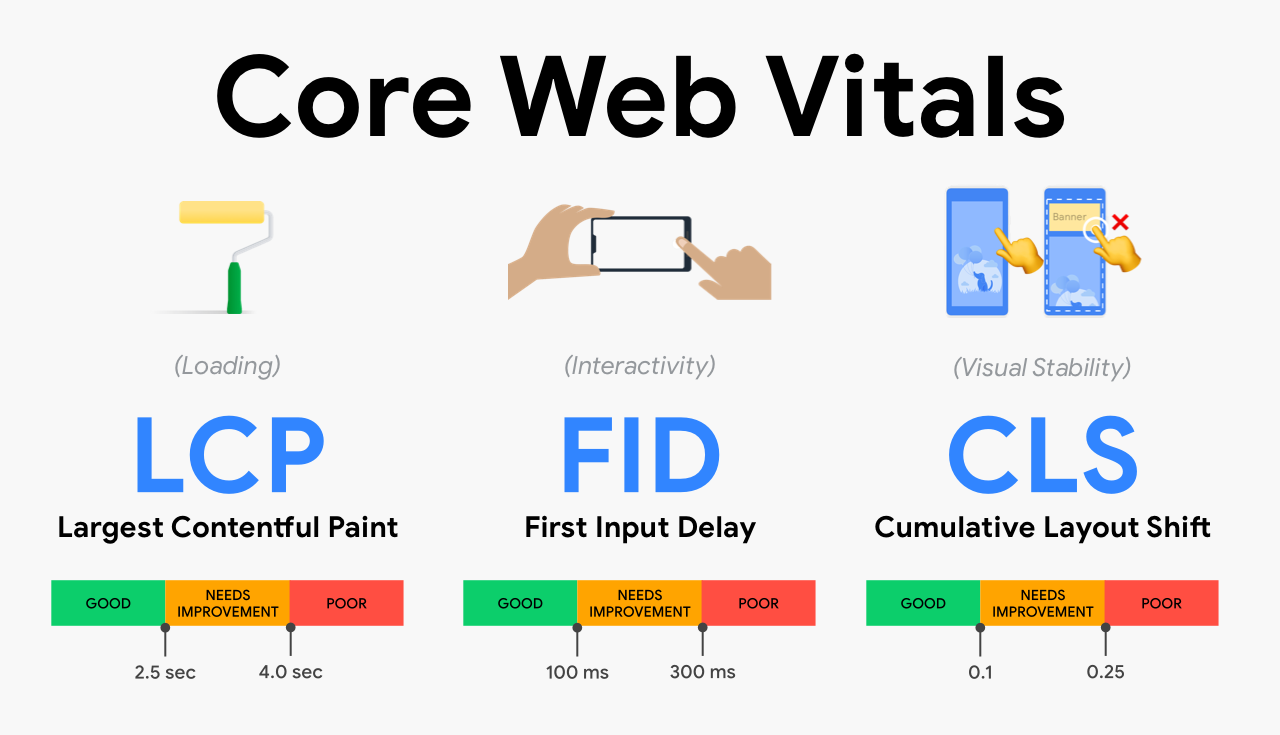
Page speed is a confirmed Google ranking signal. Core Web Vitals, introduced as a ranking factor in 2021, are still very much active in 2026 and increasingly tied to how Google measures page experience.
The Three Core Web Vitals
| Metric | What It Measures | Good Score |
|---|---|---|
| LCP (Largest Contentful Paint) | Loading performance | Under 2.5 seconds |
| INP (Interaction to Next Paint) | Responsiveness | Under 200ms |
| CLS (Cumulative Layout Shift) | Visual stability | Under 0.1 |
Note: INP replaced FID (First Input Delay) as an official Core Web Vital in March 2024. If your audit template still references FID, update it.
How to Improve Core Web Vitals
For LCP, the most common fixes are:
- Preloading the hero image with
<link rel="preload"> - Switching to a faster hosting provider or CDN
- Lazy-loading images below the fold (but never the LCP element)
For INP, review your JavaScript execution. Heavy third-party scripts (chat widgets, ad trackers, analytics) are frequent offenders. Use Chrome DevTools’ Performance panel to isolate blocking tasks.
For CLS, set explicit width and height attributes on all images and iframes. Reserve space for ads and embeds before they load.
Run your pages through Google’s PageSpeed Insights to get field data from real users alongside lab data.
Mobile Optimisation
Google has used mobile-first indexing since 2020. That means Google primarily uses the mobile version of your content for indexing and ranking. If your mobile site is a stripped-down version of your desktop site, you’re likely losing rankings you don’t even know about.
Mobile Audit Checklist
- Responsive design: All content, images, and structured data present on mobile, not just desktop
- Tap target sizing: Buttons and links at least 48x48px with adequate spacing
- Font size: Body text minimum 16px for readability without zooming
- No horizontal scrolling: Content fits within the viewport
- Mobile page speed: Check LCP and INP specifically on mobile using Search Console’s Core Web Vitals report, segmented by device
Use Google Search Console’s “Mobile Usability” report to catch issues at scale across your entire site.
Site Architecture and URL Structure
A clean site architecture helps search engines understand your content hierarchy and distribute PageRank efficiently. It also helps users navigate, which reduces bounce rates.
What Good Architecture Looks Like
Every important page should be reachable within three clicks from the homepage. If you have product or service pages buried five levels deep, they’ll get crawled less frequently and rank harder.
URL best practices:
- Use lowercase letters only
- Separate words with hyphens, not underscores
- Keep URLs short and descriptive (
/services/local-seo/beats/services?id=23&cat=4) - Avoid parameters where possible; use clean URL rewrites instead
Internal Linking
Internal links pass authority between pages and help Google understand what your site is about. Audit your internal link structure by checking:
- Which important pages have few or no internal links pointing to them (orphan pages)
- Whether your most authoritative pages are linking down to your target pages
- That anchor text is descriptive and varied, not always “click here”
If you’re working on a broader SEO strategy, a strong technical foundation pairs directly with a well-executed monthly SEO plan to drive sustainable ranking improvements.
Canonical Tags
Canonical tags tell Google which version of a page is the “master” version. Check that:
- Every page has a self-referencing canonical (or a canonical pointing to the correct URL)
- Paginated pages handle canonicals correctly (don’t canonical all pages to page 1)
- Syndicating content elsewhere? Use canonical tags pointing back to your site
Structured Data and Schema Markup
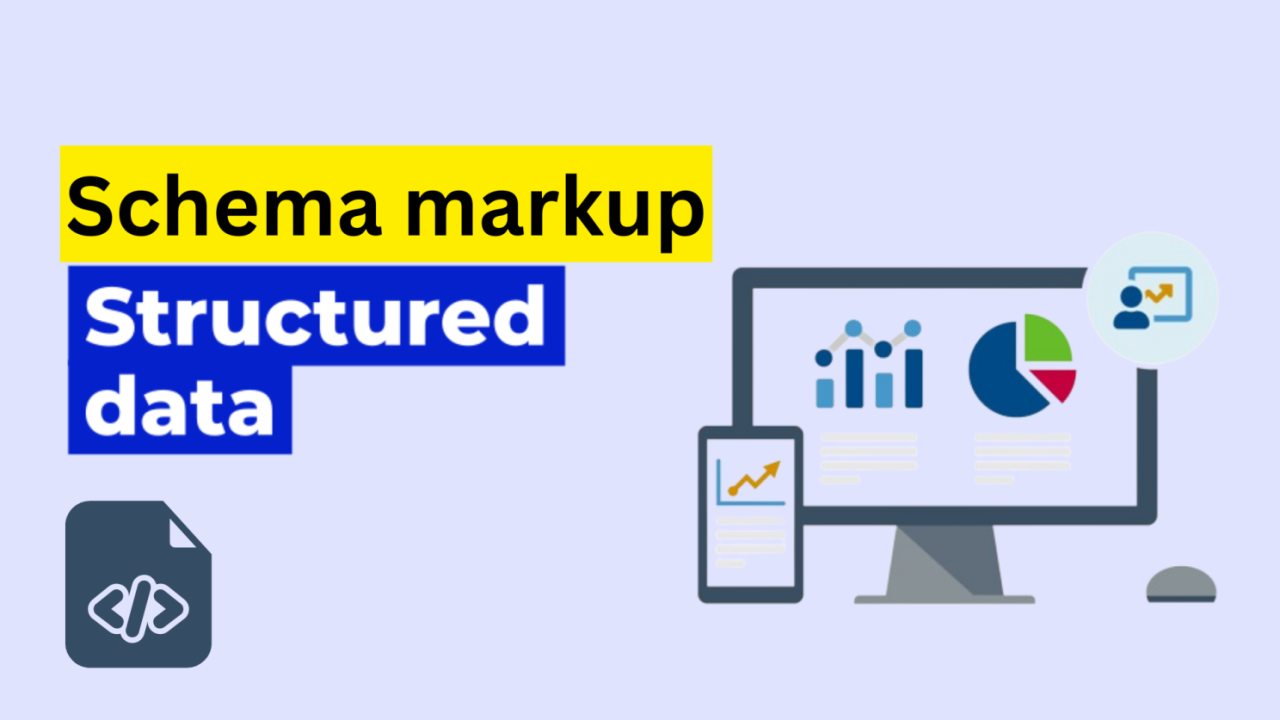
Structured data doesn’t directly boost rankings, but it makes your pages eligible for rich results in Google Search: star ratings, FAQs, How-Tos, product prices, and more. These features increase click-through rates significantly.
Priority Schema Types for 2026
- Organization schema: Brand name, logo, contact info, social profiles
- Article/BlogPosting: Author, publish date, image for editorial content
- Product schema: Price, availability, reviews for eCommerce
- FAQ schema: Ideal for informational content targeting People Also Ask
- LocalBusiness schema: Critical for local SEO, includes address, hours, geo-coordinates
- BreadcrumbList: Improves how your URL appears in SERPs
Use Google’s Rich Results Test to validate your schema implementation. Common errors include missing required properties, incorrect date formats, and mismatched markup (schema says “in stock” but page says “sold out”).
Security and HTTPS
HTTPS has been a ranking signal since 2014. In 2026, there’s no excuse for running HTTP. But security audits go beyond just having an SSL certificate.
Security Checklist
- SSL certificate: Valid, not expired, covers all subdomains you use
- HTTPS redirects: All HTTP URLs redirect to HTTPS via a 301
- Mixed content: No HTTP resources (images, scripts, stylesheets) loading on HTTPS pages, these trigger browser warnings
- HSTS header: Implementing HTTP Strict Transport Security prevents downgrade attacks
- Security headers: Check for
X-Content-Type-Options,X-Frame-Options, andContent-Security-Policyheaders using a tool like Security Headers (securityheaders.com)
Google’s Search Console shows security issues under the “Security & Manual Actions” section. Check it monthly.
AI Crawler Considerations for 2026
This is the area most audit checklists still ignore, and it’s becoming critically important.
AI systems like ChatGPT, Claude, and Perplexity crawl the web to build their training data and serve real-time answers. If you want your content cited in AI-generated responses, what’s often called Generative Engine Optimisation (GEO), you need to think about how these crawlers access your site.
Key AI Crawlers to Know
| Crawler | Platform | User-Agent |
|---|---|---|
| GPTBot | OpenAI / ChatGPT | GPTBot |
| ClaudeBot | Anthropic / Claude | ClaudeBot |
| PerplexityBot | Perplexity | PerplexityBot |
| Google-Extended | Google Gemini | Google-Extended |
What You Need to Check
Are you accidentally blocking AI crawlers?
Many sites added broad Disallow rules to robots.txt to block “all bots” or specific known scrapers. Check whether your robots.txt is inadvertently blocking GPTBot, ClaudeBot, or PerplexityBot. If your goal is brand visibility in AI answers, you want these crawlers to access your content.
Do you want to block them?
If you’re concerned about your content being used for training data, you can block specific AI crawlers selectively. This is a legitimate choice, but understand the trade-off: blocking them means your content is less likely to appear as a cited source in AI search results.
Optimise for AI retrieval:
Content that gets cited by AI systems tends to share the same characteristics as content that ranks well traditionally: clear structure, factual accuracy, specific data points, and authoritative sources. The difference is that structured, scannable content with clear answers performs especially well in AI retrieval, because AI models prefer content they can extract clean answers from.
Tools to Run Your Audit
You don’t need every tool. Here’s what actually gets used in professional audits:
Free Tools:
- Google Search Console: Indexation issues, Core Web Vitals field data, mobile usability, security issues
- Google PageSpeed Insights: CWV lab and field data per URL
- Chrome DevTools: JavaScript performance, network waterfall, rendering issues
- Google Rich Results Test: Schema validation
Paid Tools:
- Screaming Frog SEO Spider: Full site crawl, broken links, redirects, canonicals, response codes (free up to 500 URLs)
- Ahrefs Site Audit: Crawl health scores, broken links, internal link analysis
- SEMrush Site Audit: Core Web Vitals tracking alongside technical crawl data
- Sitebulb: Excellent visualisations of site architecture and crawl data
For most audits, combining Google Search Console with Screaming Frog covers 80% of what you need. Paid tools accelerate the process and help with ongoing monitoring.
Implementation Priorities
Once your audit is complete, you’ll have a list of issues. Not everything is equal. Here’s how to prioritise your fixes:
1: Critical (Fix Within 1 Week)
- Pages accidentally blocked by robots.txt or noindex tags
- Site not on HTTPS / expired SSL certificate
- Major crawl errors affecting key pages
- Missing or broken XML sitemap
2: High Impact (Fix Within 1 Month)
- Core Web Vitals failures (especially LCP and INP)
- Mobile usability errors
- Broken internal links and redirect chains
- Missing or invalid canonical tags
- Schema markup errors on key page types
3: Ongoing Improvements
- Improving site architecture and internal linking depth
- Adding and expanding structured data coverage
- Monitoring AI crawler access and adjusting robots.txt
- Improving crawl efficiency on large sites
The technical side of SEO feeds directly into your off-page efforts. There’s no point building high-quality backlinks to a site with crawl errors or slow pages. If you’re looking at the full picture, explore how monthly off-page SEO works alongside a clean technical foundation to multiply your results.
FAQs
How long does a technical SEO audit take?
For a small site (under 1,000 pages), a thorough audit typically takes 4-8 hours. Larger enterprise sites can take several days. The crawl itself is fast; the analysis and prioritisation of findings is where time is spent. Using tools like Screaming Frog and Google Search Console together speeds up the process considerably.
How often should I run a technical SEO audit?
Run a full audit at least once or twice a year. Additionally, run partial audits after major site changes, like a redesign, platform migration, or significant content restructuring. Monthly monitoring of Google Search Console catches new issues between full audits.
What’s the difference between a technical SEO audit and a full SEO audit?
A technical SEO audit focuses exclusively on site health factors: crawlability, indexation, speed, mobile, security, and structured data. A full SEO audit also includes on-page analysis (content quality, keyword targeting) and off-page analysis (backlink profile). Both are important, but technical issues should be fixed first since they affect everything else.
Does Core Web Vitals actually affect rankings?
Yes. Google confirmed Core Web Vitals as a ranking factor as part of the Page Experience update. However, Google’s own guidance notes that great content can still rank even with poor CWV scores. The signal is a tiebreaker, not a dominant factor. That said, slow sites also have higher bounce rates, which compounds the ranking problem.
Should I block AI crawlers like GPTBot and ClaudeBot?
It depends on your goals. If you want your content to appear in AI-generated responses on ChatGPT, Claude, or Perplexity, allow these crawlers. If you’re primarily concerned about your content being used for AI training without compensation, you can block them selectively via robots.txt. Many publishers are allowing AI answer crawlers while blocking training crawlers, though the distinction isn’t always clear-cut.
What is crawl budget and does it matter for my site?
Crawl budget is the number of URLs Googlebot will crawl on your site within a given timeframe. For most sites under a few thousand pages, it’s not a limiting factor. It becomes critical for large eCommerce sites, news sites, or sites with lots of URL parameters generating near-duplicate pages. Fix duplicate content and eliminate low-value URLs to make Googlebot’s visits count.
How do I check if Google has indexed my pages correctly?
Use the URL Inspection tool in Google Search Console to check any specific URL. For bulk analysis, the “Page Indexing” report in Search Console shows all indexed pages and the reasons why others aren’t indexed. Cross-reference this with your Screaming Frog crawl to identify gaps.
Key Takeaways
A thorough technical SEO audit isn’t a one-time task, it’s an ongoing practice that keeps your site visible, fast, and trustworthy.
- Start with crawlability: If search engines can’t access your pages, nothing else matters
- Core Web Vitals are active ranking signals: Prioritise LCP and INP improvements for measurable impact
- Mobile-first is the reality: Audit your mobile experience as if it’s the primary version of your site, because Google treats it exactly that way
- Structured data expands your SERP footprint: FAQ, Product, and LocalBusiness schema are the highest-priority types for most sites
- AI crawlers are the new frontier: Review your robots.txt for unintended blocks on GPTBot and ClaudeBot if brand visibility in AI-generated answers is part of your strategy
Ready to get your site’s technical health in order? 7th Club’s team runs comprehensive technical audits as part of every SEO engagement. Contact us today to find out what’s holding your site back.